
Accounts
An account connects an advertising channel, such as Meta or Google, to your company. Accounts are connected under Settings > Accounts, where each channel asks for its own details.
An account is also how conversions are reported back to the channel. A conversion counts the applications that reach a stage. Through the account, the channel that brought the applicant hears that they reached it, so it can improve its targeting.
Relations
- Conversion — the account reports conversions back to its channel.
- Promotion — a listing on this channel runs through the account.
- Consent manager — a connected account becomes a service under Marketing, and only runs for visitors who agreed to it.
- Job opening — the role the channel advertises.
Channels
Applyfin connects three channels today.
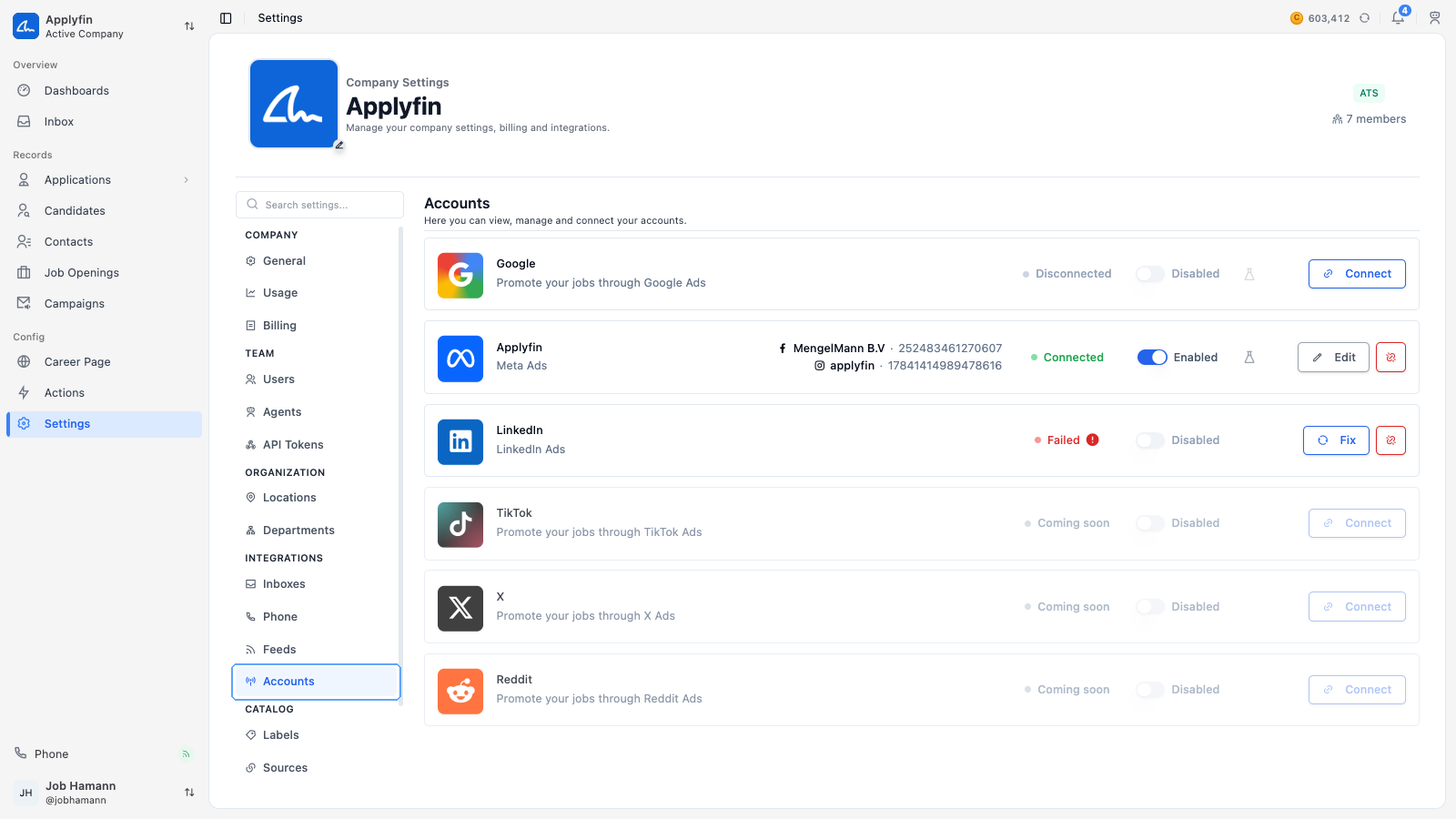
- Google — promote your jobs through Google Ads.
- Meta — promote your jobs through Meta Ads.
- LinkedIn — promote your jobs through LinkedIn Ads.
Other channels appear in the list marked Coming soon and cannot be connected yet.
Connecting an account
To let Applyfin advertise on a channel and measure the results, connect the account.
- Open Settings > Accounts.
- Select Connect on the channel's card.
- Fill in the details the channel asks for.
- Save the account.
The card shows the account as connected, and its conversion events are listed on it.
Enabling an account
An account has an Enabled switch. Turning it off stops reporting conversions to the channel and takes every campaign on the account offline.
Consent for tracking
Connecting an account adds a service for it under the Marketing purpose of your consent manager. Its tracking only runs for visitors who agreed to that purpose, so the channel only sees what visitors allowed.