
Notifications & Activity
Notifications tell you what happened on your records. You choose how they reach you under Account settings > Preferences, per type of activity: in the application, by email, or not at all.
A record also has its own activity list, where comments and changes are shown in order. New messages, stage changes and incoming calls appear there without refreshing the screen.
Relations
- User — notifications reach a user the way they chose.
- Comment — you are notified of mentions and replies on your comments.
- Application — you are notified of assignments and stage changes.
- Conversation — new messages on conversations you are assigned to.
- Account settings — where a user sets their preferences.
Reading your notifications
While you are in the app, a new notification appears in the corner of the screen as it happens, with the face of whoever caused it. Select it to open the record, or let it fade. It stays in the panel.
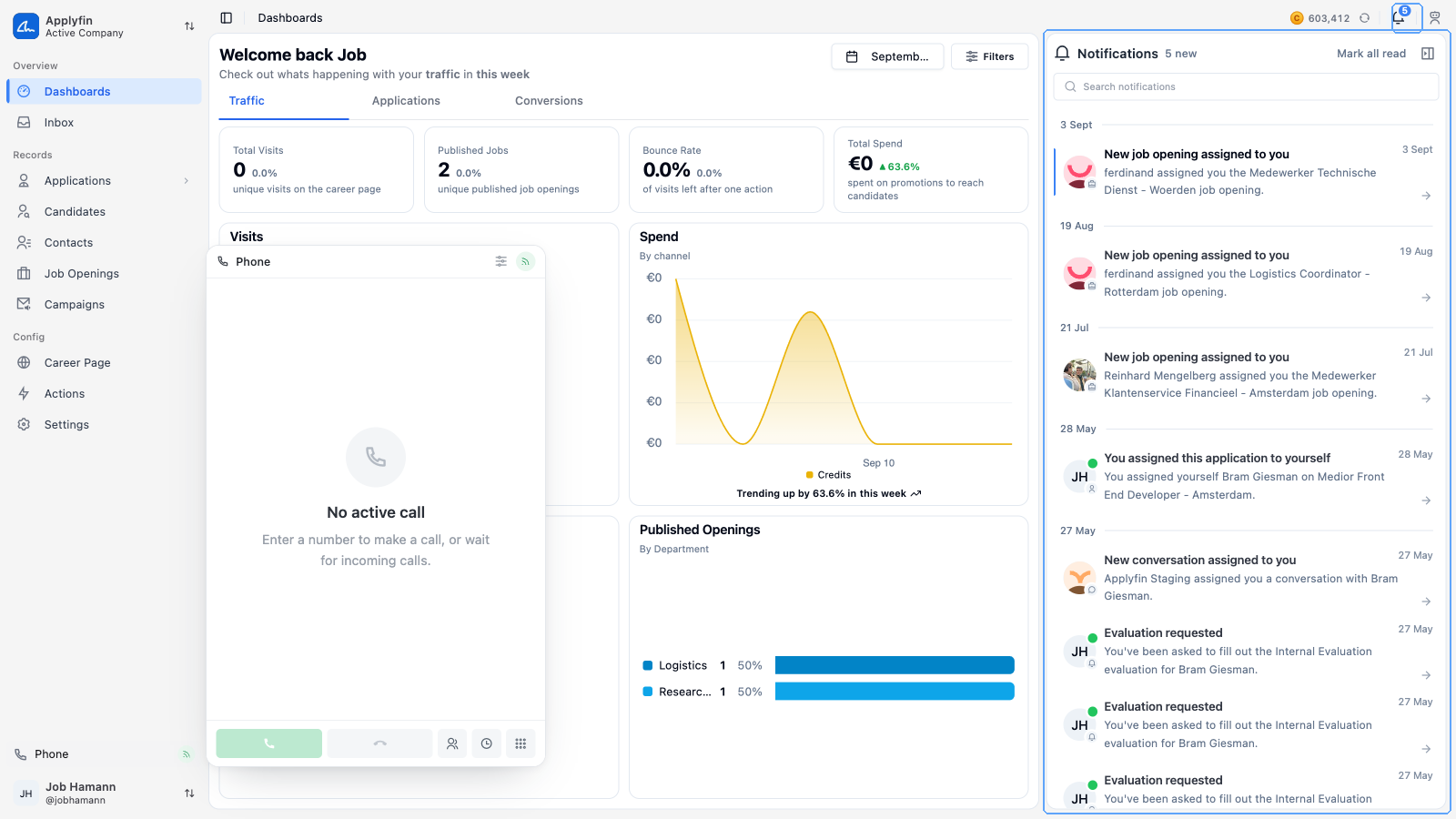
To see what happened while you were away, open the notifications panel.
- Select the bell in the top bar.
- Search for a notification, or scroll the list.
- Select a notification to open the record it is about.
The list is grouped under Today, Yesterday and Earlier, and the bell shows how many you have not read.
Switch between All and Unread next to the search box to see only what you have not read yet. The filter button next to it narrows the list by Type (the same types as your preferences, such as an application being assigned to you), by Record type (applications, conversations, job openings) and by Actor type (a user, a contact or an agent). The switch, the filters and the search work together, and the panel opens on All with no filters each time.
Select Mark all read at the top of the panel to clear the count in one go.
Setting your preferences
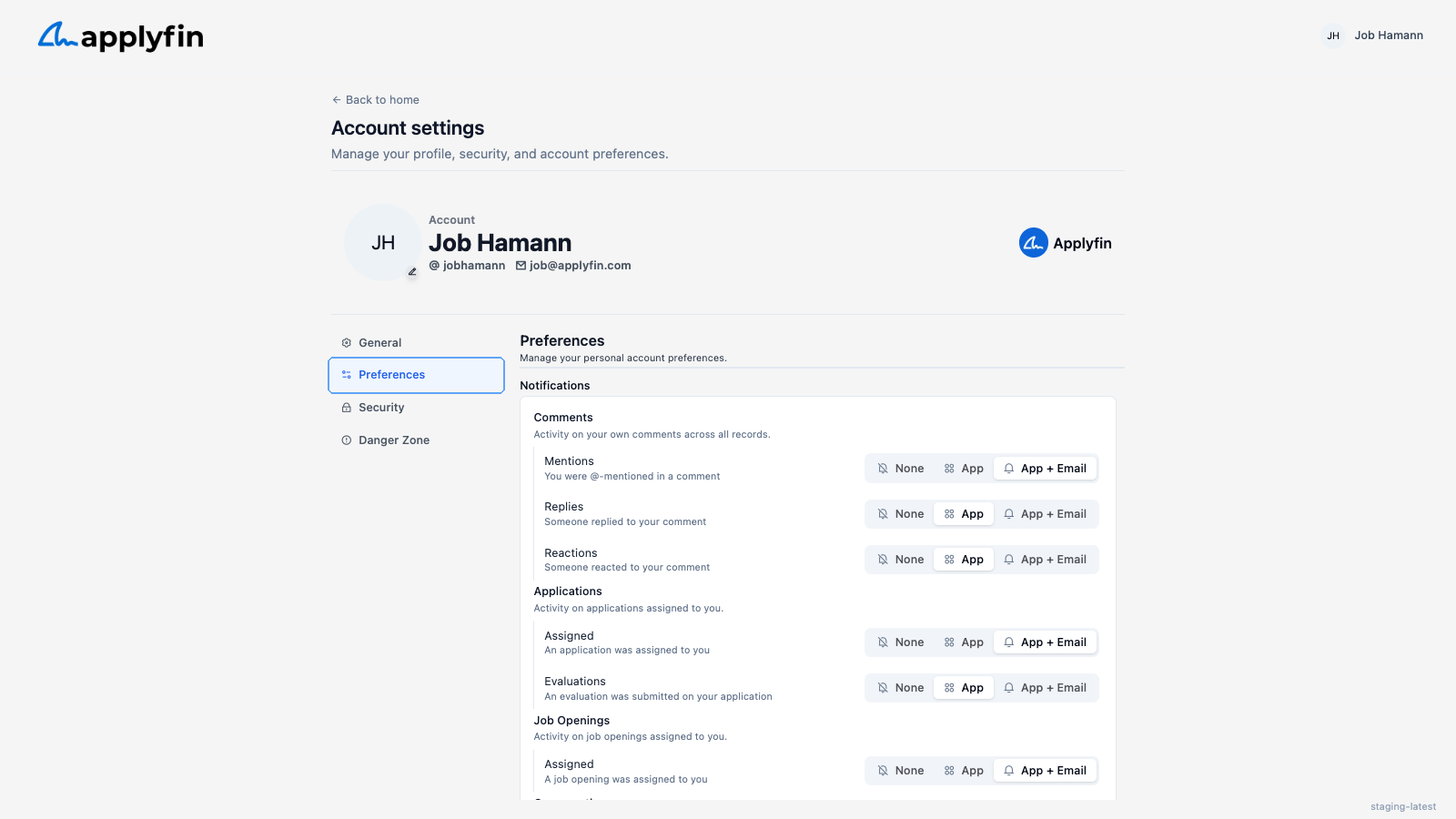
To decide how Applyfin reaches you, set your notification preferences.
- Open the user menu (your name at the bottom of the sidebar) and select Account settings.
- Select Preferences.
- Set each row to None, App or App + Email.
- Select Save Preferences.
The rows are grouped by what they are about.
- Comments — Mentions when you are @-mentioned, Replies when someone replies to your comment, and Reactions when someone reacts to it.
- Applications — Assigned when an application is assigned to you, and Evaluations when one is submitted on it.
- Job Openings — Assigned when a job opening is assigned to you.
- Conversations — Assigned, New messages (assigned) for a conversation you own, and New messages (participating) for one you are part of.
Announcements
Announcements are the emails Applyfin sends you about the platform itself, not about your records. They are email only and never appear in your in-app notifications. You manage them on the same Preferences screen, with an on/off switch per category.
| Category | What it covers |
|---|---|
| Legal | Terms, privacy policy, DPA, pricing terms, security incidents. |
| Service | Scheduled maintenance, downtime, deprecations, breaking changes. |
| Product updates | New features, product news, changelog. |
| Marketing | Webinars, promotions, plans, case studies. |
Every email we send has a Choose what we send you link that opens the same settings without logging in. Announcement emails also have their own unsubscribe link. Changes made that way show up here the next time you open the screen.