

Conversions
A conversion is bound to a stage and counts the applications that reach it. Conversions are set up under Settings > Conversions, and what they counted is read on the Conversions tab of your dashboards.
A conversion turns a stage into a number you can report on. An evaluation template can also be linked to a conversion, so the reasons users give show up in the same funnel.
Relations
- Stage — a conversion is bound to one, and counts the applications reaching it.
- Application — what a conversion counts.
- Department — owns the stages a conversion can be bound to.
- Evaluation template — a template can be linked to a conversion, and one of its questions can hold the reason.
- Dashboard — the Conversions tab shows what they counted.
Creating the conversion
A conversion is created under Settings > Conversions. Only an administrator can create one.
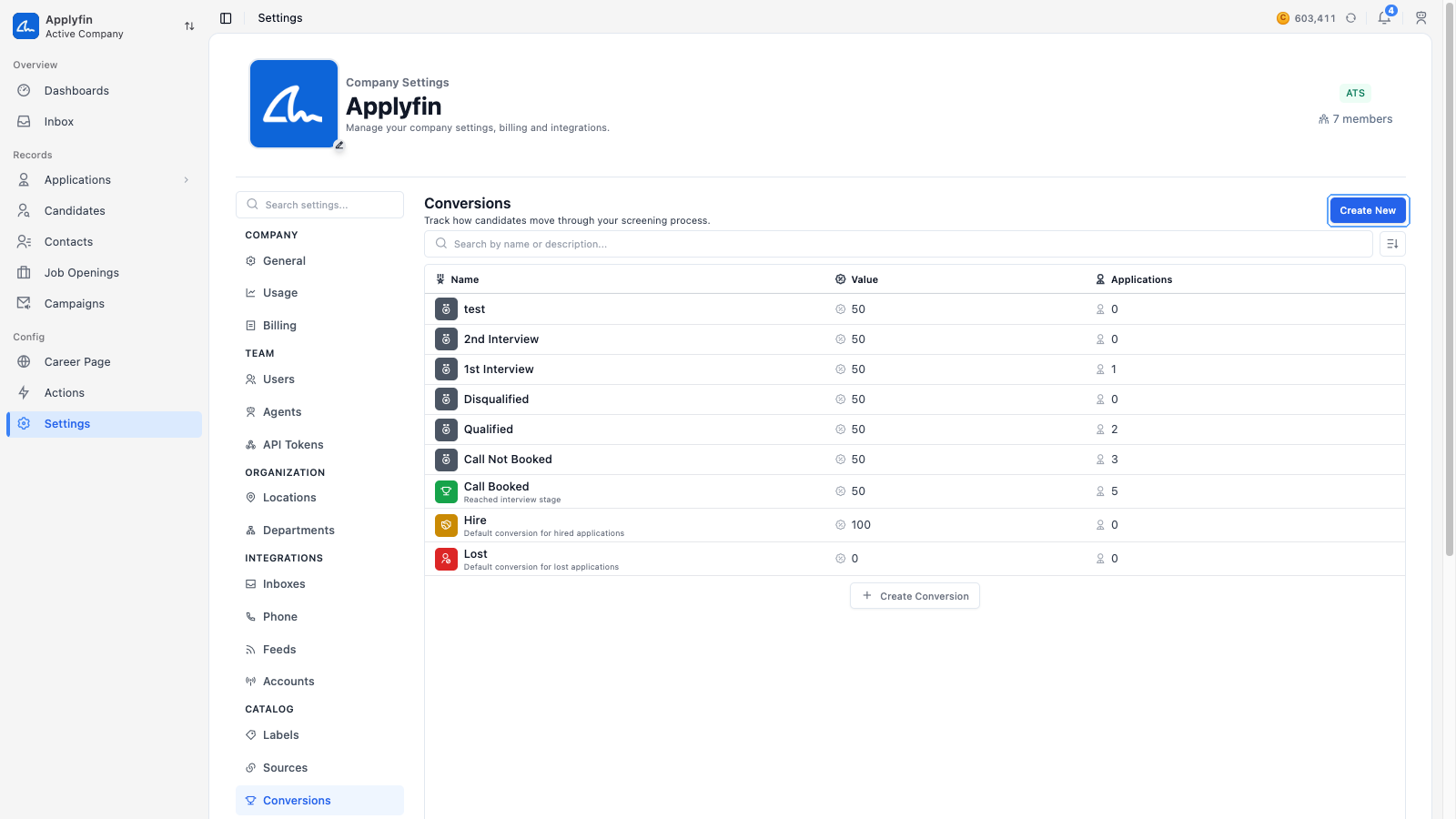
To count how many applications reach a certain point, create a conversion for it.
- Open Settings > Conversions and select Create New.
- Fill in the Name and a Description.
- Pick an Icon and a Color.
- Turn on Enable Value if the conversion has a value, then set how valuable it is.
- Select Create.
The conversion now appears under Settings > Conversions and can be bound to a stage.
Binding a conversion
A conversion is bound to a stage from the stage itself, on the department the stage belongs to. Once bound, it counts every application that reaches that stage.
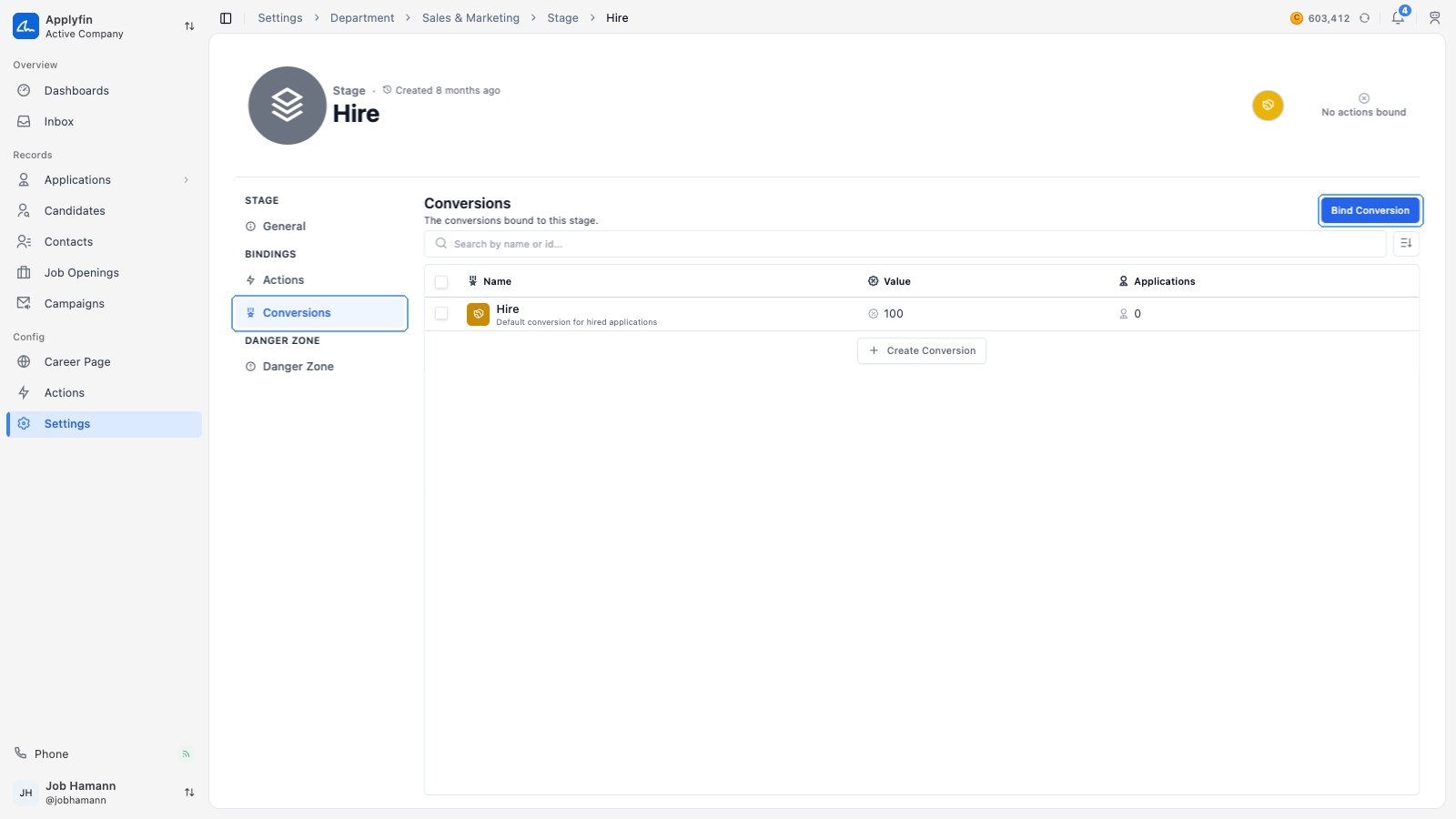
To have a conversion count something, bind it to a stage.
- Open Settings > Departments and select the department.
- Select Stages and select the stage.
- Select Conversions.
- Select Bind Conversion.
- Select Bind on the conversion's row.
- Confirm on Bind Conversion.
The conversion now counts the applications that reach this stage. You read the result on the Conversions tab of your dashboards.
Unbinding a conversion
To stop a conversion counting a stage, unbind it.
- Open Settings > Departments, select the department, then select Stages.
- Select the stage and select Conversions.
- Select Unbind on the conversion's row.
- Confirm on Unbind Conversion.
The conversion no longer counts applications reaching this stage.